
Antistress Relax Fidget Games
DobroAppsEntertainment
4.41.19K Reviews
- Version
- 1.9.5
- Installs
- 10.00M
- Age Rating
- Everyone
Screenshots


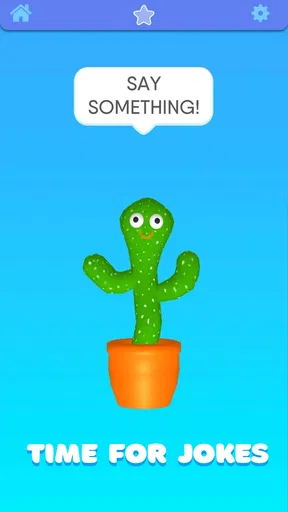


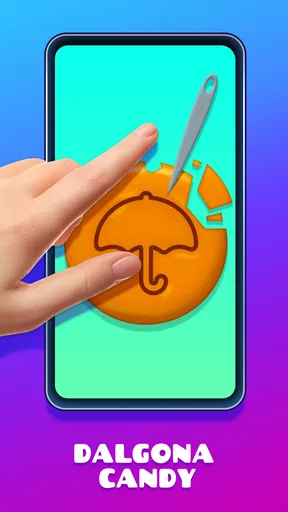


Our Review of Antistress Relax Fidget Games
 Analysis by Appyee
I tried Antistress Relax Fidget Games as a small entertainment app for moments when I wanted something to do with my hands without committing to a full game. Its appeal is simple: it brings together sensory mini-games and pop-it-style interactions in a lightweight, low-pressure format. I would not treat it as a deep gaming experience, but I can see why it has become a practical choice for short breaks, quiet evenings, or a quick distraction between tasks.
The app is free to install, with optional purchases priced from $2.99 to $3.99 per item. It is made by DobroApps and is suitable for Everyone, which fits the uncomplicated nature of the experience. The current version is 1.9.5, and it runs on devices using Android 7.0 or later. That broad compatibility matters because this is the kind of app people may want to keep on an older spare phone rather than reserve for a newer gaming device.
How the app feels during quick sessions
The first thing I noticed is that the app is built around immediate interaction rather than a long setup. You open it expecting a few minutes of tapping, pressing, and switching between relaxing activities, not a campaign, a score chase, or a complicated tutorial. That makes its speed feel more important than depth. When I want a calming diversion, I do not want to spend the first minute learning rules or adjusting a dozen options.
That quick-entry design is also the main reason I would recommend it to someone who likes fidget toys but does not want to carry a physical one. A phone cannot reproduce every tactile quality of a real object, of course, but the digital format is convenient. It is available when I am already holding my phone, and I can stop at any point without losing progress or needing to remember where I left off.
In practical use, the experience is best understood as a collection of tiny pauses rather than a conventional game. I might open it while waiting for an appointment, after finishing a difficult email, or during a short break from reading. Those situations reward an app that gets out of the way quickly. Antistress Relax Fidget Games generally makes sense in that role because its purpose is not to demand sustained concentration.
There is a trade-off here. The same simplicity that makes the app approachable can make it feel limited if I am looking for a stronger sense of progression. Someone who enjoys unlocking systems, building a character, competing on leaderboards, or mastering increasingly difficult challenges may find the activities too gentle. I see it as an occasional reset button, not a replacement for a full puzzle game or a more involved relaxation routine.
What I would use it for in everyday life
A realistic example is a busy workday. After a long video call, I might have five minutes before the next task. Opening a competitive game would probably pull me into a longer session, while a social app could leave me more distracted than before. A few minutes with a fidget-style activity offers a clearer stopping point. I can interact with it briefly, put the phone down, and return to work without having to finish a level or protect a streak.
I also think it suits people who find repetitive, low-stakes interaction comforting. The app does not ask me to perform under pressure, so it can work as a small mental break when I am tired. That does not mean it should be presented as a treatment for anxiety or any other condition. For serious stress, sleep problems, or persistent distress, a specialist or a proven health tool is a better choice. This is entertainment with a calming intention, not professional care.
Another useful scenario is travel. On a train or in an airport, I may want something more active than watching a video but less demanding than a strategy game. A fidget app fills that middle space. It gives my hands a task while leaving my attention relatively free. I would still be mindful of other passengers and avoid using it when I need to stay alert, but it is a reasonable companion for idle waiting.
Handling longer or repeated use
The app’s strengths become clearer during short sessions, while repeated use exposes its limits. If I open it several times in one day, the activities can start to feel familiar. That is not necessarily a flaw for a fidget app; repetition is part of the appeal. Still, anyone expecting an endless stream of fresh content should keep expectations modest. The attraction comes from the interaction itself, not from a constantly changing world or a large narrative.
For heavier use, I would treat it as a pick-up-and-put-down app rather than something to leave active for a long stretch. A longer session may reduce the relaxing effect because the interaction becomes another form of screen time. I find it more useful to set a personal limit before opening it, especially if I am using it late at night. The fact that an activity feels soothing does not automatically make prolonged phone use ideal for rest.
One practical workflow is to choose a specific purpose before launching it: settle down after work, occupy a short wait, or break a repetitive thought pattern. That small decision prevents me from opening the app automatically whenever I feel bored. In my experience, the app works best when I use it as a transition between activities rather than as a place to spend an entire evening.
It is also worth separating “relaxing” from “silent.” A phone-based app may still involve touch feedback, sound, or other device behavior depending on the activity and the phone’s settings. If I am in a library, classroom, or shared room, I would check the device volume before starting. The app is more suitable for private downtime than for situations where any unexpected sound or bright screen could be disruptive.
Stability, interruptions, and returning to a session
For an app this simple, reliability is mostly about whether it opens cleanly, responds consistently, and lets me resume casual use without unnecessary friction. I do not need complex save management for a collection of mini-games, but I do appreciate being able to leave quickly and come back later. That is an important distinction from traditional games, where an interruption can mean losing a round or missing a timed event.
Its age range and broad Android support make it approachable for households with different devices. The app has accumulated a 4.4 average from roughly 62 thousand ratings, and its install count has passed 10 million. Those figures suggest that it is not an obscure experiment, although popularity alone does not guarantee that every phone will behave identically. Android devices vary widely in screen size, hardware, software versions, and background settings.
When I use any casual app repeatedly, I pay attention to recovery after interruptions. A phone call, notification, screen lock, or accidental swipe should not turn a two-minute break into a frustrating restart. Antistress Relax Fidget Games benefits from having low stakes: even if I have to reopen an activity, I am not losing an important achievement. That makes interruptions less annoying than they would be in a competitive or story-driven title.
Still, low stakes do not remove every possible annoyance. A free entertainment app may include prompts related to optional purchases, and those can interrupt the relaxed mood if they appear at an inconvenient moment. The in-app items cost between $2.99 and $3.99 each. I would approach those purchases carefully, especially if the app is being used by a child, and check the device’s purchase controls before handing over the phone.
My general advice is to keep the app updated through the normal store process and avoid judging its behavior solely from one brief launch. If a phone has very little free storage, aggressive battery restrictions, or many apps running in the background, casual performance can become less predictable. Those are device-level conditions rather than qualities I would automatically attribute to this particular app.
Older phones, storage, and battery expectations
The minimum operating system requirement of Android 7.0 or later gives the app a useful reach. It means people with older compatible phones can consider it without needing a recent flagship. That is especially relevant here because the app’s purpose does not call for cutting-edge graphics or demanding controls. I would be more interested in whether the screen responds comfortably than in whether the phone has gaming-class hardware.
Even so, compatibility is not the same as identical performance everywhere. A modern device with a responsive touchscreen should provide a smoother feeling for tapping and dragging than a worn phone with delayed input. Screen condition matters too: a cracked protector, sticky surface, or unreliable touch area can make a simple fidget activity feel awkward. Before blaming the app, I would test whether other touch-based apps respond normally.
Resource demands are another reason I would keep expectations reasonable. The app is designed for casual interaction, but I would not assume that every visual element is equally light on every device. If my phone is already warm, nearly full, or busy synchronizing photos, I would close unnecessary apps first. That basic cleanup can improve the overall feel of almost any mobile experience and is particularly noticeable when the activity depends on quick touch response.
Battery use is best judged by how long I keep the screen active, not just by the app’s category. A short session should be easier on the battery than leaving any bright, interactive display running for a long period. If I am traveling, I would use it in brief intervals and keep the phone’s usual battery-saving habits in place. I would not choose it as a primary activity during a long journey if preserving every bit of battery is essential.
There is also a comfort issue that is easy to overlook. Repeated tapping or pressing can become tiring if I use the app too intensely. A fidget activity should not turn into a repetitive strain exercise. I would vary how I interact, take breaks, and stop if my fingers or wrist feel uncomfortable. That is a small but meaningful difference between using the app thoughtfully and treating it as something to operate continuously.
How it compares with physical fidgets and other phone choices
A physical pop-it or fidget cube still wins when tactile feedback is the main reason I want the activity. Real objects provide pressure, texture, and resistance that a touchscreen cannot fully duplicate. They also avoid battery concerns and do not expose me to notifications. If I already own a comfortable physical fidget, I would probably choose it during focused work or before sleep.
The phone app wins on variety and convenience. I do not need to remember where I left a toy, and I can switch between different sensory-style activities without carrying several objects. It is also easier to keep discreetly available in a waiting room. The compromise is that I am still looking at a screen, which may be counterproductive if my goal is to step away from digital stimulation.
Compared with ordinary casual games, this app is less demanding and less rewarding for players who want goals. A match-three game, arcade title, or puzzle app may offer clearer progression and a stronger reason to return. Those alternatives are better when I want challenge or measurable improvement. Antistress Relax Fidget Games is better when challenge is exactly what I want to avoid.
Compared with guided breathing or meditation apps, it takes a more active and playful route. I may prefer this when sitting still and following instructions feels difficult. On the other hand, a structured meditation app can be a better fit when I want a timed routine, breathing guidance, or a deliberate wind-down process. I would not use this app expecting those structured wellness tools to appear in a disguised form.
Who should try it, and who should skip it
I would recommend giving it a chance if you enjoy pop-it-style interactions, want a low-pressure distraction, or need something for brief waiting periods. It is also a sensible option for families looking for an Everyone-rated entertainment app, provided adults manage optional purchases and decide whether screen time fits the situation. Its free entry point makes trying it less of a commitment than buying a dedicated physical gadget.
I would be less enthusiastic for someone who dislikes repetitive touch activities, wants a deep game, or is trying to reduce phone use. The app cannot solve the basic contradiction of using a screen to escape overstimulation. It may also be a poor choice if you need reliable offline entertainment in a situation where battery life is critical, or if you want a completely distraction-free object with no purchase prompts.
Another group that should be selective is anyone using fidgeting as a response to significant or ongoing distress. The app can occupy the hands, but it does not assess needs, offer professional guidance, or replace support from a qualified person. I see it as a harmless recreational aid for ordinary moments of rest, not as a health intervention.
My performance verdict
After using it as intended, I see Antistress Relax Fidget Games as a focused casual app rather than a conventional game. Its perceived speed comes from the fact that it asks little of me: I can begin a small interaction, stop quickly, and return later without pressure. Its strongest performance case is a compatible phone in normal condition, used for short sessions with reasonable expectations.
The app also benefits from its wide reach. DobroApps has kept it available for Android devices beginning with version 7.0, and the large install base shows that the concept has found a substantial audience. The 4.4 average rating is encouraging, while the roughly 1.2 thousand written reviews provide additional evidence that people are engaging with it beyond a handful of downloads. I would still treat those signals as context, not a substitute for deciding whether this style of interaction suits me.
My main reservation is longevity. The collection can be pleasant, but the experience is not built around deep progression, demanding goals, or a strong reason to play for hours. Optional purchases also deserve attention because a free app can become less relaxing if I feel pushed toward spending. I would install it, try the free experience, and only consider an item if it clearly improves the particular activity I actually use.
Overall, I think it earns a place as a small, accessible break app. I would recommend it to a friend who wants gentle digital fidgeting during short pauses, especially if carrying a physical toy is inconvenient. I would not recommend it as a replacement for meditation, therapy, a serious game, or a real tactile fidget. Used in the narrow role it handles best—brief, low-pressure interaction—it is a convenient and reasonably approachable choice.
Verdict
Strengths of Antistress Relax Fidget Games
- Offers many short activities for quick stress relief.
- Simple controls make the games easy to start playing.
- Works well for brief breaks during work or study.
- Variety of fidget-style interactions keeps the experience fresh.
- Relaxing sounds and visual feedback create a calming atmosphere.
Limitations of Antistress Relax Fidget Games
- Some activities may feel repetitive after extended play.
- Frequent ads can interrupt the relaxing experience.
- Several features may require in-app purchases to unlock.
- Not every mini-game feels equally satisfying or polished.
- May use noticeable battery power during longer sessions.
Similar Picks in This Category
View All
Google Play Games
Google LLC3.9

Netflix
Netflix, Inc.4.8

YouTube Kids
Google LLC4.2

Disney+
Disney4.4

Prime Video
Amazon Mobile LLC4.7

Steam
Valve Corporation3.2
Frequently Asked Questions
What is Antistress Relax Fidget Games?
Antistress Relax Fidget Games is a casual mobile app designed to provide short, calming activities through interactive fidget toys, simple puzzles, and relaxing touch-based games. Instead of following a complex story or competitive goal, you can tap, swipe, press, rotate, and interact with virtual objects at your own pace. It is mainly intended for quick relaxation, distraction, and stress relief during breaks.
How does Antistress Relax Fidget Games help with relaxation?
The app uses repetitive interactions, simple controls, and low-pressure activities to create a soothing experience. Playing with virtual buttons, sliders, bubbles, switches, and similar objects can give your hands and attention something gentle to focus on. It may be useful when you need a short mental break, although it should be viewed as a relaxation tool rather than a replacement for professional help with anxiety, stress, or other health concerns.
Is Antistress Relax Fidget Games suitable for children?
The simple gameplay and colorful interface may be appealing to children, but parents should review the app’s age rating, advertising policy, in-app purchase options, and privacy information before allowing regular use. Some activities may be appropriate for younger players, while others could include distracting ads or links to external content. Parental supervision is recommended, particularly on shared devices or when purchases are enabled.
Does Antistress Relax Fidget Games require an internet connection?
Many of the basic fidget and relaxation activities may work without a constant internet connection once the app has been installed. However, connectivity can still be required for downloading additional content, displaying advertisements, restoring purchases, updating the app, or accessing certain features. Availability may differ between Android and iOS versions, so checking the store description and testing the app in offline mode is advisable.
Is Antistress Relax Fidget Games free to download?
The app may be available as a free download, but free access does not necessarily mean that every feature is included without limitations. Depending on the version, you may encounter advertising, locked activities, optional purchases, or subscription-related offers. Before downloading, review the official Google Play or App Store listing for current pricing, supported devices, permissions, and purchase details so you know what to expect.
